Write & Compile Modern C & C++ Code
On Your Smartphone
Write C and C++, build and execute your code right on your Android phone and manage Git repositories—all directly on your Android phone. No root required.
A real C/C++ development setup running directly on Android.
Local Execution, No Root Required
CPPIDE runs C/C++ binaries directly on ARM64 and x86_64 hardware inside Android's app sandbox using a custom Linux environment. It works completely offline without cloud servers.
Practice algorithms for LeetCode, Codeforces, or HackerRank. Compile C and C++ code offline and see execution output right away.
Systems & Multi-Threading
Write multi-threaded C and C++ programs using `std::thread`, POSIX pthreads, or OpenMP to run parallel workloads across CPU cores.
C/C++ Build Toolchain Projects
Set up, configure, and compile multi-file C and C++ projects with CMake, Ninja & MakeFile build systems.
CLI Tools & Custom Scripts
Build command-line utilities, run scripts, and execute shell commands inside the terminal.
App Screenshots
Explore the CPPIDE Interface
Scroll down to explore the code editor, terminal, Git manager, and project wizard in action.
01 / Code Editor
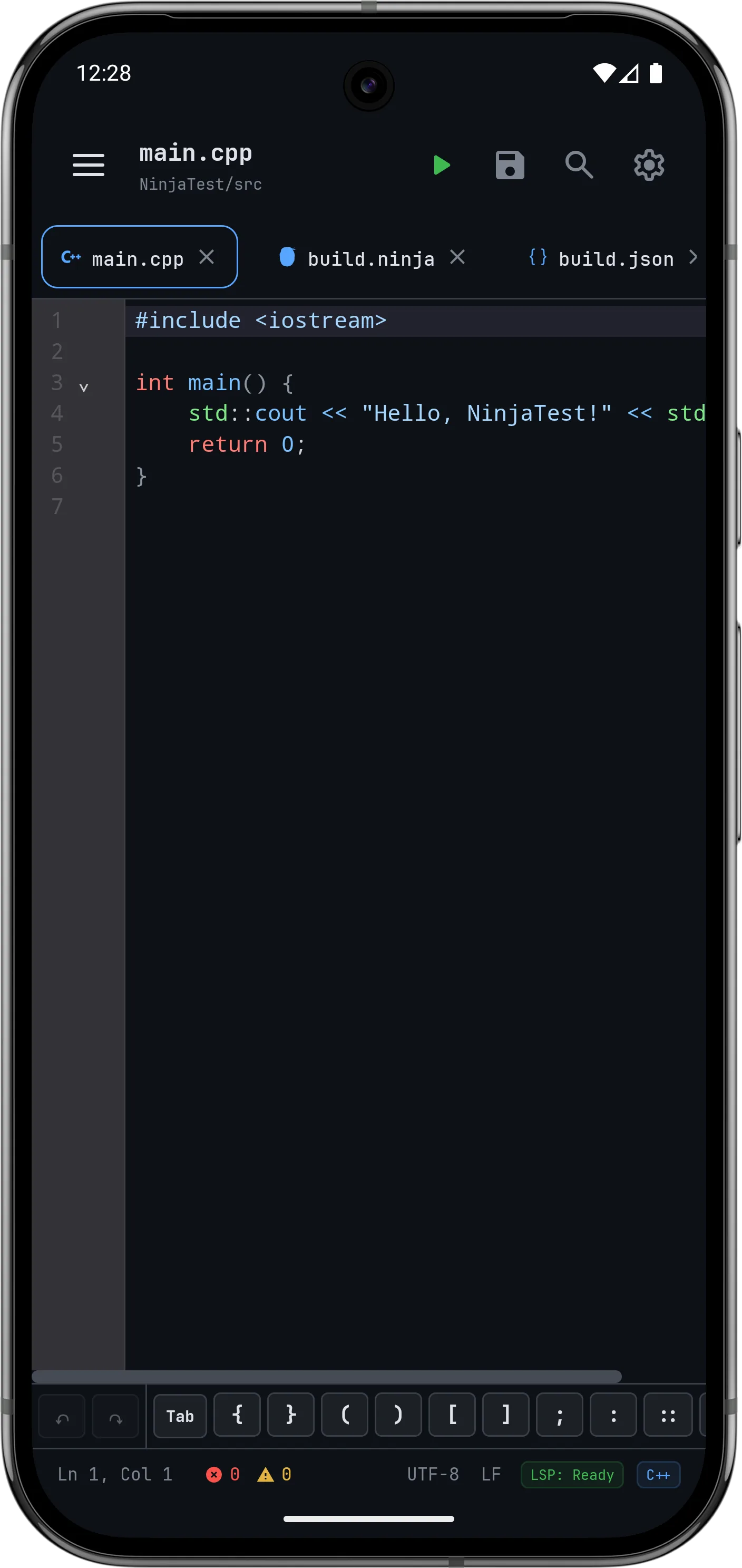
Desktop-Grade Code Editor
Built on CodeMirror 6, the editor gives you syntax highlighting, inline diagnostics, auto-indentation, and multi-tab navigation right on Android.
Multi-tab editing with quick file switching
C & C++ keyword and function autocompletion
Various editor themes as per your preference
02 / Terminal
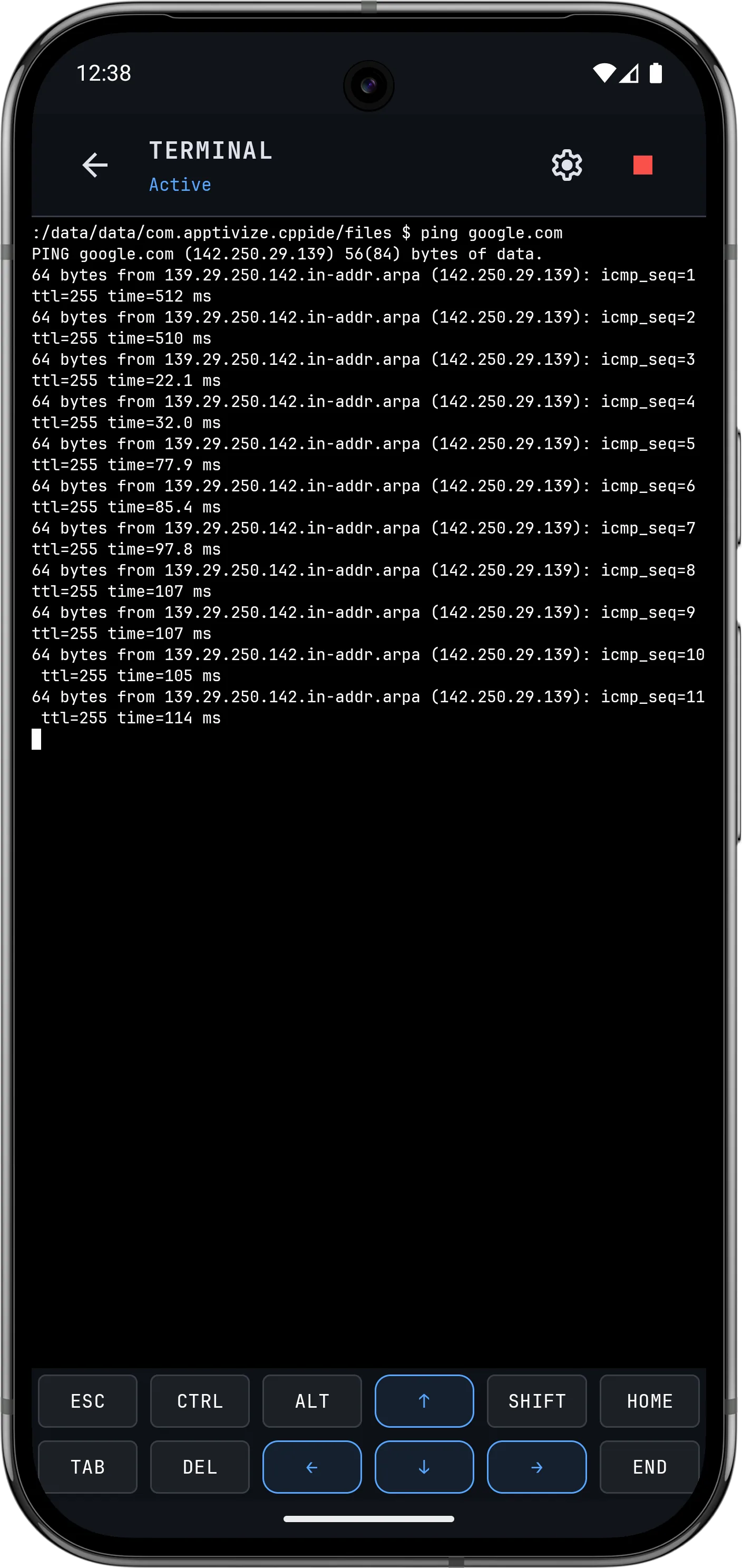
In-built Terminal & Shell
Run shell commands, compile code with LLVM/Clang, and debug binaries with GDB—no root required.
Extra key row (Tab, Ctrl, Esc, arrows) for quick typing
Interactive stdin/stdout terminal output
Terminal themes like Dracula, Nord, and Solarized
03 / Version Control
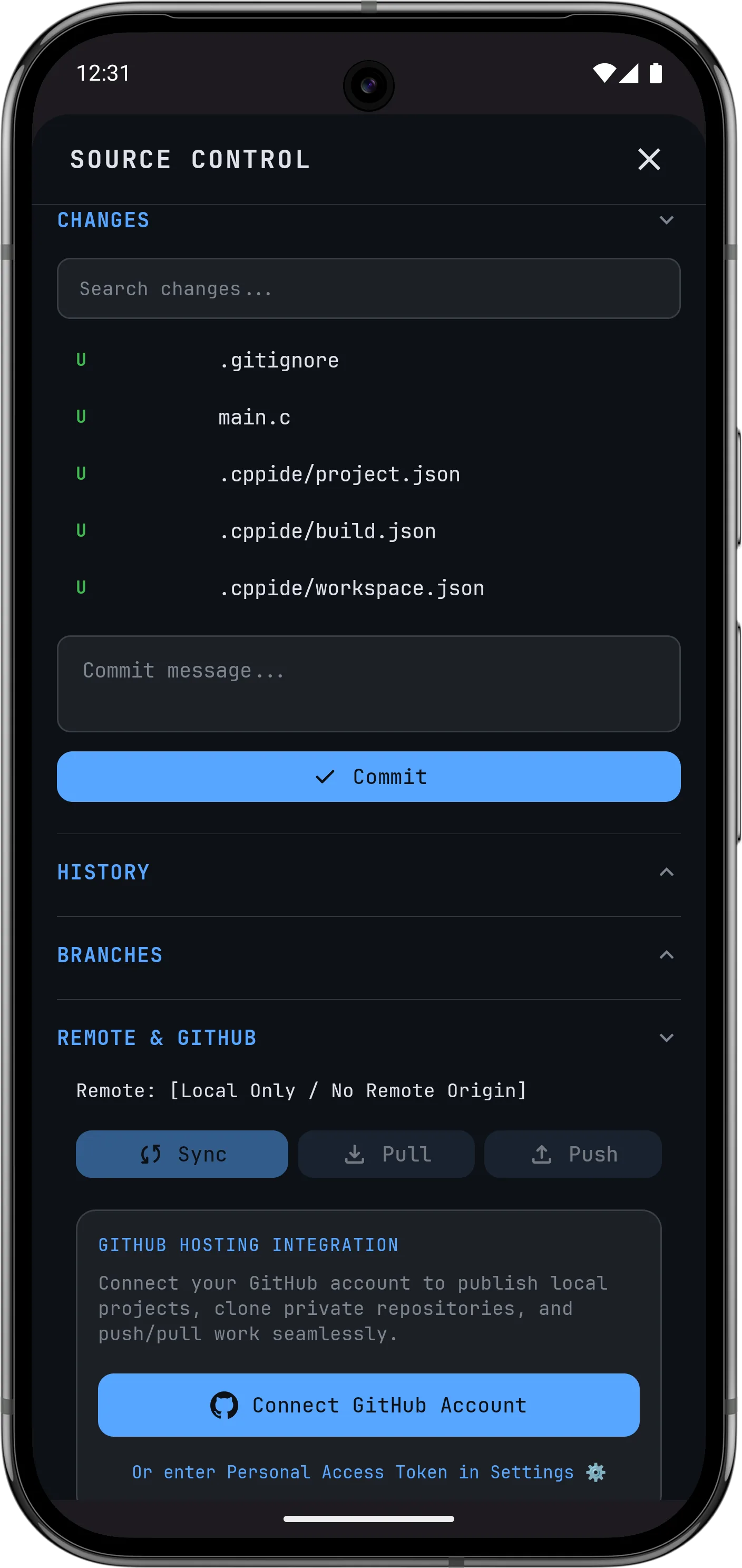
Git & GitHub Integration
Clone GitHub repositories, commit changes, pull updates, and push code right from your phone.
Clone and manage GitHub repositories directly
Switch branches and review commit history
Easy GitHub authorization
04 / Project Explorer
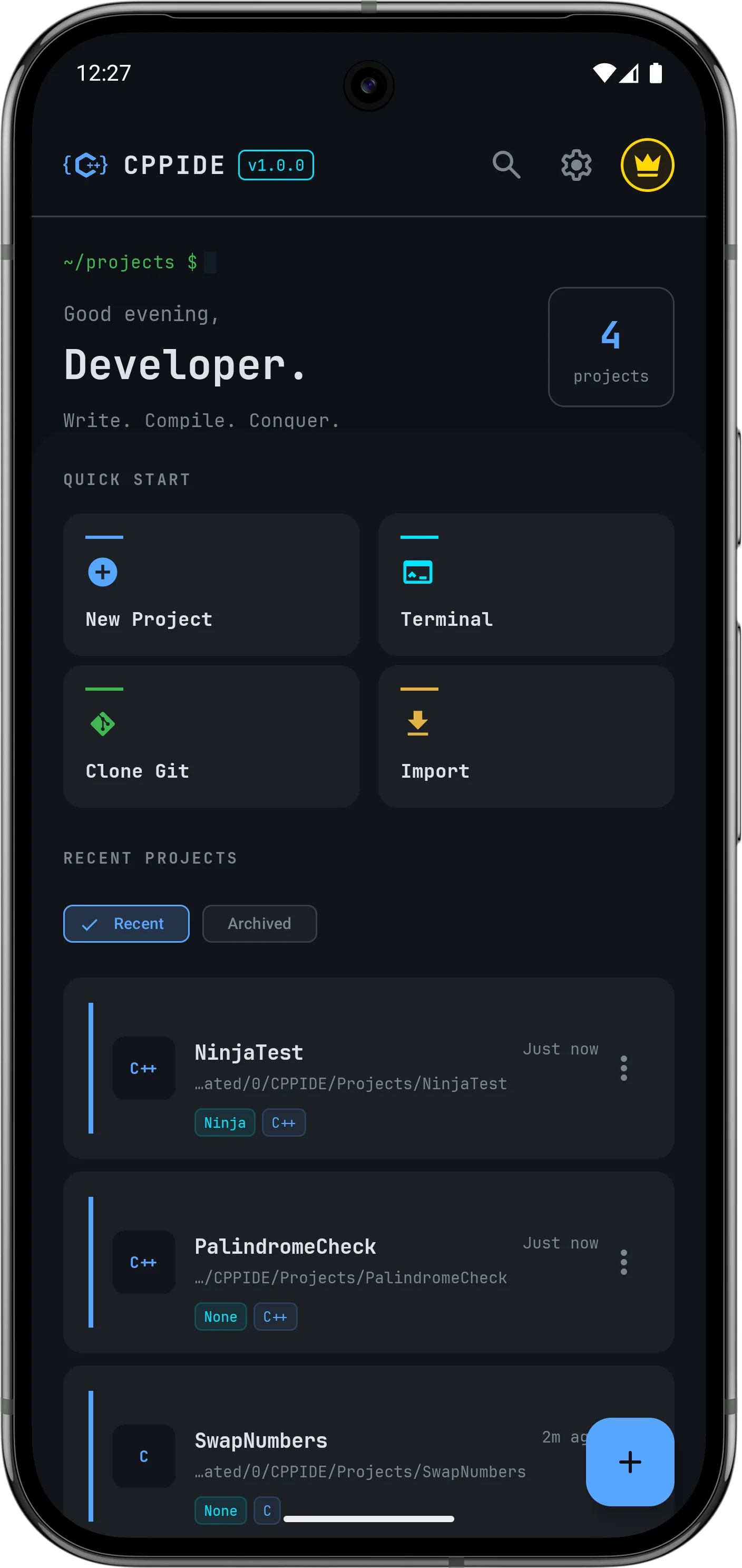
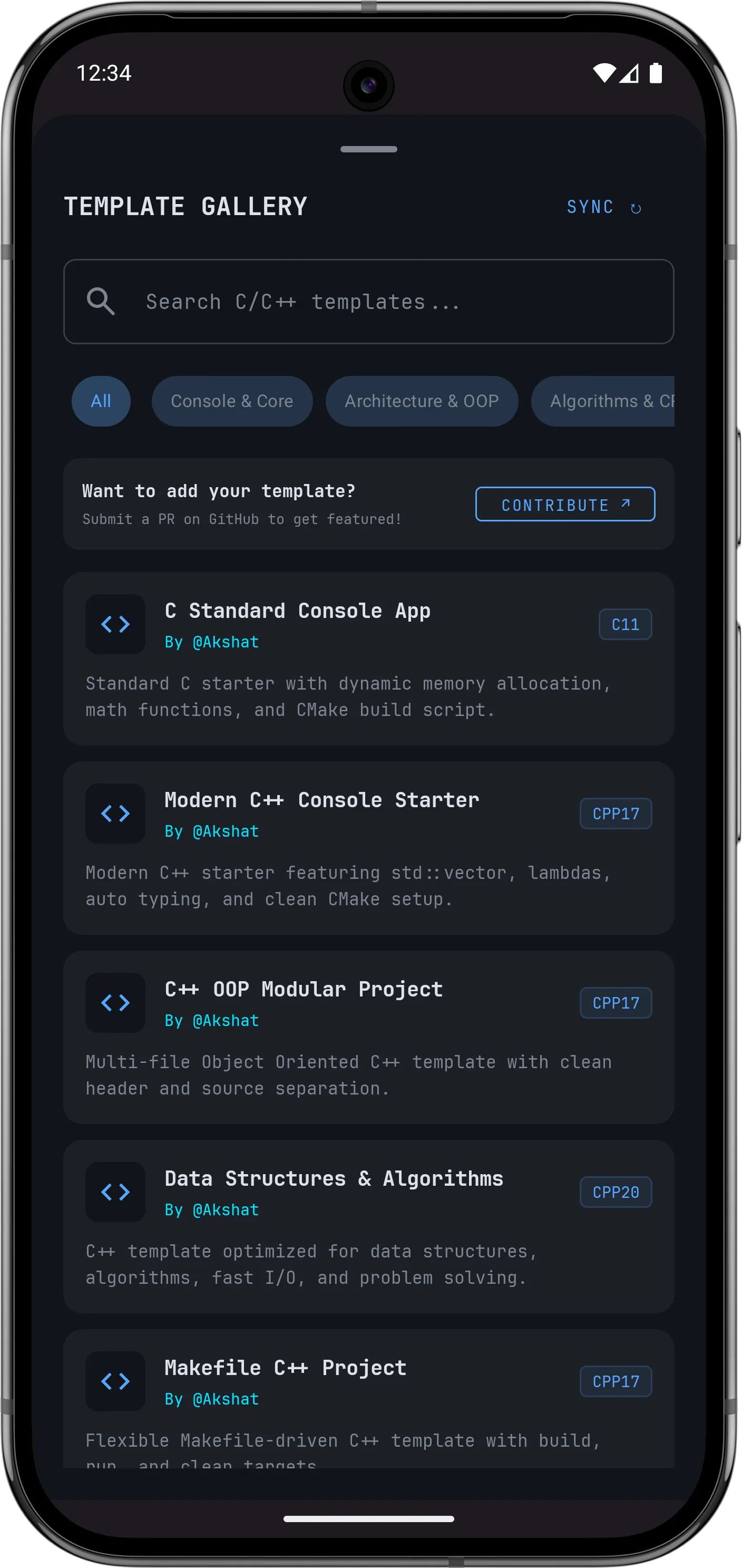
Project Templates & Explorer
Start new projects quickly using built-in templates for C and C++ console apps, CMake, Ninja, and Makefiles.
Various starter templates for C/C++ projects
Created by developers for developers
Architecture & Specs
How It Works Under the Hood
How CPPIDE manages to serve a native development environment on your Android device and how it stands out from other solutions.
ARM64 & x86_64 NATIVE
Native Binary Compilation
CPPIDE compiles code directly into ARM64 or x86_64 machine binaries for your phone's processor. It doesn't rely on bytecode interpreters, emulation layers, or cloud servers.
Physical DevicesEmulators
STANDARDS & HEADERS
C++20 & C++23 Standards
Support for modern C++ features like Concepts, Ranges, Coroutines, `std::format`, POSIX threads, and the filesystem library.
<ranges><concepts><thread><filesystem>
BUILD SYSTEMS
CMake, Ninja & MakeFile
Includes CMake for project configuration, Ninja for parallel builds, and GNU Make for Makefile projects.
CMake 4.4.0Ninja 1.13.2GNU Make 4.4.1
Error Highlighting
Realtime Error Detection
Automatic inline error, warning and info highlighting in the code editor, allowing you to catch mistakes as you type.
ErrorWarningInfo
Performance Comparison
CPPIDE vs Alternative Tools
Feature / Capability
CPPIDE
Online Compilers
Basic Text Editors
Offline Compilation
✓ Yes (100% Offline)
✗ Requires Internet
✗ No Compiler
Execution Latency
< 15ms Native
1000ms+ Network Lag
N/A
Modern C & C++
✓ Full Clang/LLVM Support
Limited
✗ No
Integrated Linux Terminal
✓ Termux Shell Engine
✗ No Shell Access
✗ No
Git & GitHub Client
✓ Built-in Git
✗ No
✗ No
Root Permission Required
✓ Zero Root Needed
N/A
N/A
Behind the Project
Meet the Developer
Building native tools for Android developers.
Akshat Rana
Developer
Why I Built CPPIDE?
Hi, I'm Akshat. I've been building native Android apps for over six years. I created CPPIDE because I wanted a proper C/C++ setup on my phone. Something that feels like a desktop IDE rather than a basic text editor. It bundles local C/C++ compilers (special thanks to Anshuman Mishra for helping make this possible), a solid code editor, and a Linux shell directly into Android without requiring root or an internet connection.
Connect with thousands of C and C++ mobile developers. Get real-time compilation assistance, get to know about beta updates, share starter templates, and request features directly from the creator!
Common questions about setting up and using CPPIDE on Android.
Which Android versions are supported by CPPIDE?
CPPIDE supports Android 7.0 (API level 24) and above. It runs natively on 64-bit ARM (arm64-v8a) and x86_64 devices.
Does CPPIDE require root access on my device?
No. CPPIDE runs inside Android's normal app sandbox using a custom Termux Linux layer. You don't need root access at all.
Can I compile and run C and C++ code completely offline?
Yes. The LLVM and Clang compilers along with standard C and C++ headers are included locally. Once installed, you can compile and run code without an internet connection.
Which build systems are supported for multi-file projects?
CPPIDE supports CMake 4.4, Ninja, GNU Make, and single-file C and C++ compilation.
How much storage space does CPPIDE require?
CPPIDE requires approximately 1 GB of storage space for the basic installation, with additional space needed for your projects and dependencies.
Start Coding C & C++ on Your Phone
Download CPPIDE on Android and get a real C & C++ development environment on your mobile device.